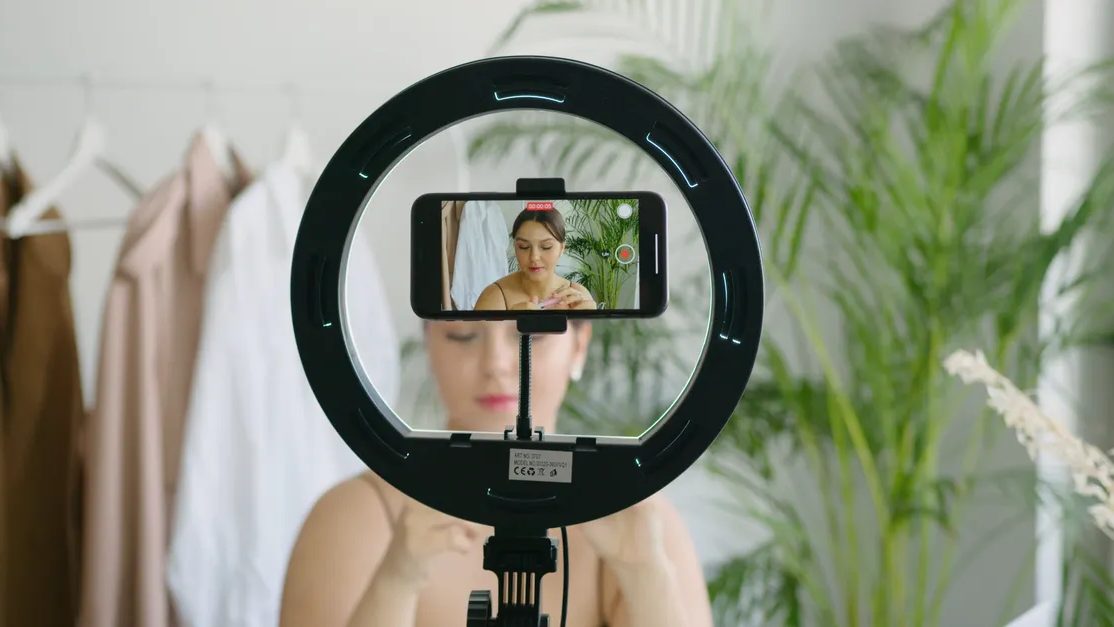
A faceless Instagram Reels page — motivation quotes over cinematic footage, finance tips narrated by an AI voice, history facts told over stock clips — can be built without ever showing your face or recording yourself. In 2026, the tooling for this is genuinely good: type an idea, and AI can produce a script, a voiceover, captioned vertical video, and hashtags in minutes. But the tooling is also where most beginners waste money, because the market is split between tools that do one job well and tools that promise to do everything and do it generically.
This guide sorts that out. It groups the tools by the job they actually do, gives honest starting prices gathered from current 2026 comparisons, and ends with a free workflow you can use this week — plus the rules that decide whether a faceless Reels page survives or gets ignored. If you want the longer-form version of this same craft, our guide to AI video tools for faceless YouTube channels covers the same stacks at YouTube scale.
What one faceless Reel actually needs
Every faceless Reel, whatever the tool, is made of five parts. Knowing them stops you from buying two tools that do the same part:
- A hook in the first second. Reels are swiped past in under two seconds. The first line of your script is the whole game — a question, a bold claim, or a curiosity gap, not an introduction.
- A tight script. A 30-second Reel is roughly 75–90 spoken words. A 60-second Reel is roughly 150 words. If your script is longer, it is two Reels, not one.
- A voice. Either an AI voiceover or trending audio with on-screen text. AI voices suit explainers, stories, and finance tips; trending audio suits aesthetic and quote pages.
- Vertical visuals in 9:16. Stock footage, AI-generated images, or screen recordings — cut every 3–5 seconds so the eye never settles.
- Captions and a caption (the text under the video). Most people watch Reels on mute first, so burned-in, word-by-word captions are not optional. The written caption and hashtags are what Instagram's search actually reads.
A good beginner stack covers those five parts with two or three tools at most: one generator or voice tool, plus one free editor. Everything beyond that is convenience, not necessity.

Script-to-reel all-in-ones
These tools take a topic or a short script and output a finished vertical video — footage, voice, captions, and music included. They are the fastest path from idea to posted Reel, and the easiest place to produce forgettable content, so use them with an original script, not their auto-generated one, whenever you can.
InVideo AI — the flexible prompt-to-video option
InVideo AI builds a video from a text prompt using its stock library, with AI voiceover and captions included. Current 2026 comparisons put its paid plans at around $25/month, with a limited free tier for testing. It is a strong first all-in-one because the free tier lets you learn the whole workflow before paying anything.
Best for: beginners who want one tool to test the format. Watch out: it leans on generic stock footage, so two creators on the same prompt can end up with near-identical videos. Rewrite the script in your own words and swap at least a few clips before posting.
FlowShorts — the full pipeline, including auto-posting
FlowShorts is one of the few tools in this list that automates the whole chain — script, images, voice, captions, render, and posting to Instagram, TikTok, and YouTube — with premium ElevenLabs voices. Current comparisons list it at around $19/month for its Launch plan. The trade-off is control: you get speed and a posted Reel, but you give up frame-by-frame editing.
Best for: creators who want a daily posting habit with minimal hands-on time. Watch out: full automation only works if your scripts are genuinely original. Auto-generated scripts posted daily are exactly the kind of low-effort output platforms deprioritize.
faceless.video — budget autopilot with rollover credits
faceless.video generates faceless videos and can post them to TikTok, Instagram Reels, or YouTube Shorts on a schedule. Its unusual feature is billing: unused credits roll over while your subscription stays active. As of October 2026, pricing starts at around $20/month for 30 credits (up to about 15 videos) and around $35/month for a daily plan. That makes it one of the cheaper autopilot options for a page posting a few times a week.
Best for: a single budget channel posting every other day. Watch out: premium video models charge credits per scene, so a credit budget that looks generous can shrink fast on longer or fancier videos.
VEED and ApexClip — two more worth knowing
VEED's AI Reel Generator builds a complete reel from a text description — narration, footage, captions, and music — in a genuinely beginner-friendly browser editor, with free exports watermarked and paid plans roughly in the $12–$19/month range for watermark-free 1080p. ApexClip takes the opposite approach: a create-first pipeline (topic, script, voice, captions, 9:16 export) with a free tier and paid plans around $15–$29/month, and its strength is turning a text idea into a postable vertical file without needing any footage of your own. Try either on its free tier before committing; the right one is the one whose output style you actually like looking at.
AI voices that don't sound robotic
Voice quality is the single biggest retention factor for narration-led Reels. Viewers forgive average footage; they swipe past robotic narration instantly. Two names dominate the realistic-voice tier in 2026, and both have genuinely usable free tiers.
ElevenLabs — the realistic benchmark
ElevenLabs is widely considered the most realistic, emotionally expressive AI voice engine for social content in 2026, with a starter plan around $5/month. Pick one voice and keep it: a consistent narrator is how a faceless page becomes recognizable. For a deeper comparison of voice tools, see our guide to AI voice generators for content creators.
Murf and the free-tier reality
Murf offers a polished, broadcast-style voice library with strong pitch and pacing controls, aimed at creators who want a clean documentary read. Whichever voice tool you choose, check one thing before publishing: that your plan's license grants commercial use. Free tiers commonly exclude it, which matters the moment a page starts earning through brand deals or bonuses.
Captions and editing: the free workhorses
CapCut — free, and still the default finisher
CapCut remains the best free editor for short-form beginners: auto-captions, templates, text animations, transitions, and trending effects, on mobile and desktop, with a paid tier around $8/month for advanced features. Even creators who generate video elsewhere usually finish in CapCut, because its caption styles and pacing controls are what make a Reel feel native to the feed rather than exported from a generator.
Practical tips: keep captions large and inside the safe zone — Instagram's interface covers the bottom and right edges of a Reel, so text hugging those edges gets hidden. Cut visuals every 3–5 seconds. Add one sound effect or beat change per Reel; silence between sentences is where viewers swipe away.
Canva — thumbnails, covers, and text-first Reels
Canva's free tier (with a Pro tier around $13/month) covers the parts generators don't: Reel covers, quote graphics, animated text, and background removal for branded visuals. Text-first pages — quotes, facts, affirmations — can be built almost entirely in Canva plus CapCut, with no video generator at all.

Repurposing tools: long video into Reels
If you already make long videos, podcasts, or livestreams, clipping tools are a second engine for Reels. OpusClip and Pictory-style tools automatically find the most engaging moments in a long video and reformat them into vertical clips with captions. One long video can become a week of Reels this way, and the clips inherit the originality of the source — a real advantage over fully generated content. If you don't have long-form source material yet, skip this category entirely; it solves a problem you don't have.
Picking a niche that survives
The niches that work for faceless Reels share three traits: endless topics, visuals that are easy to source, and an audience that returns for the next fact, not the next face. Strong beginner picks include finance tips, motivation and mindset, history and "did you know" facts, tech explainers, health habits, and book summaries. Weak picks include anything that needs a personality to be funny, anything where the same five stock clips circulate everywhere, and anything you can't write 50 original scripts about without repeating yourself.
Before committing, test one niche for two weeks: post 10–14 Reels and watch the retention graph, not the view count. If viewers consistently drop at the same second, your hook or pacing is the problem. If they watch to the end but don't follow, your niche is interesting but your page has no recognizable identity yet — fix the voice, captions, and cover style before switching topics.
The free starter workflow (under 30 minutes a Reel)
- Write the script (10 minutes). Hook in line one, one idea only, a payoff or question at the end. Aim for 75–90 words for a 30-second Reel. Write it yourself or draft with AI and rewrite heavily — your angle is the only part no one else can copy.
- Get the voice (3 minutes). Paste the script into a free-tier AI voice tool, pick your one signature voice, and export the audio.
- Gather visuals (5 minutes). Pull 4–6 vertical clips from a free stock library like Pexels, or generate one or two signature images if your niche needs them.
- Assemble in CapCut (10 minutes). Lay voice over visuals, cut every 3–5 seconds, add auto-captions in your house style, add royalty-free music low in the mix, and export in 9:16.
- Post with a searchable caption (2 minutes). One sentence that restates the Reel's promise, 3–5 relevant hashtags (not 30), and a cover frame with readable text.
Batch this: one two-hour session produces 4–5 Reels, which is a full week of daily posting. Consistency at this cadence for 30 posts is a fairer test of a page than any single viral attempt.

Rules and honest caveats
- Label AI content where required. Instagram provides an AI-label setting for realistic synthetic content; use it when your Reel qualifies. Hiding AI involvement risks removal or reduced distribution, and it costs nothing to disclose.
- Own your rights. Free-tier voices, music, and footage often exclude commercial use. Before a page earns anything, confirm the license on every asset in your stack.
- Originality beats volume. Fully automated, template-identical output is the content platforms deprioritize most. A human-written angle, real research, or a distinctive visual style is what separates a page that grows from one that stalls at 40 followers.
- Prices and free tiers change constantly. Verify current pricing on each tool's site before subscribing, and never pay annually until a monthly plan has proven its worth for two months.
- No income promises. Faceless Reels pages can take months to reach a meaningful audience, and monetization depends on the platform's current programs, brand deals, or traffic you send elsewhere — none of which any tool can guarantee. Treat the first 30 Reels as skill-building, not income.
Your 14-day launch plan
- Days 1–2: Pick one niche and study five successful faceless pages in it. Note their hook style, caption style, and posting cadence — not to copy, but to learn the format's grammar.
- Days 3–4: Set up the free stack (voice free tier + CapCut + a stock library). Produce one test Reel and fix the mispronunciations, caption placement, and pacing.
- Days 5–7: Write 10 original scripts. Batch-produce your first 5 Reels in one session.
- Days 8–14: Post daily, watch retention graphs after each post, and adjust one thing per Reel — a sharper hook, a faster cut, a clearer payoff. By day 14 you will know whether the niche and format deserve another 30 days.
Faceless Reels are a real, low-cost way to learn short-form content — the tools are good enough, the free stack is genuinely usable, and the skill you build (hook, pacing, retention) transfers to every other content format. Start free, stay original, and let the first 30 Reels teach you what your audience actually wants. For the broader picture of earning paths that pair well with a content page, see our AI side hustles guide and our first $100 roadmap.
Reels workflow sorted? Now the full toolkit
If this guide helped you pick a Reels stack, the Pack collects the same kind of beginner workflow — tool picks, copy-paste prompts, and a content checklist — for AI tools in general, so you can build the next format without starting your research from zero.
Get The AI Tools Starter Pack — $9