
Digital downloads are Etsy's best side hustle for beginners with zero creative training. You create the file once, Etsy delivers it automatically after every purchase — no printing, no shipping, no inventory, no supplier delays. AI tools now handle the two parts beginners fear most: designing something that looks good and writing the listing copy that sells it.
This is also a niche with real rules and real competition. Etsy allows AI-generated products in 2026 — but only if you disclose the AI use in every listing, and selling AI prompt packs is outright prohibited. This guide covers what Etsy's rules actually require, which digital products still have room for new sellers, the honest fee math on every sale, and a concrete first-weekend launch plan.
Why digital products are Etsy's easiest entry point
A digital product on Etsy is a file a buyer downloads instantly: a printable planner, a wall-art set, a template pack, a checklist. Once your listing is live, the transaction is almost entirely automatic. Compare that to the two alternatives:
- No fulfillment headaches. Physical products need printing, packaging, and shipping — and shipping can consume 15–30% of revenue on physical goods. Digital downloads skip all of it; there are no shipping fees for digital products at all.
- Tiny startup cost. Each listing costs $0.20 to publish. You can launch your first five listings — a real shop — for about one dollar plus your time, using free plans of the AI tools.
- A real buyer base already exists. Etsy reported 96 million active buyers in 2023 — people who arrive already intending to buy handmade, vintage, and digital goods. You're not building an audience from zero; you're positioning listings where buyers already search.
- One-time work, repeat sales. A good planner template you build in a weekend can sell for years with zero additional effort. That's the "passive" part people talk about — it's real, but it only compounds after you've built a catalog and learned what sells.
The trade-off is honesty: this niche is crowded at the generic end. "Motivational wall art" has thousands of sellers. "A weekly meal planner designed for night-shift nurses" has far fewer — and the buyer knows it's made for them. Niche specificity is the entire game.
Etsy's AI rules in 2026: disclosure, categories, and bans
Yes, Etsy allows AI-generated products — but the platform tightened its rules, and violating them can get listings removed. Here's what the 2026 rules (checked October 2026) actually require:
- AI-made products are allowed under "Designed by a seller." Etsy's Creativity Standards place seller-prompted AI creations in the "designed by a seller" category, which covers digital downloads and designs printed by a production partner.
- Disclosure is mandatory, in every listing. You must state in the listing description that the item was created with the use of AI — a plain sentence near the top of the description. A note in your shop announcement or About section does not replace the per-listing disclosure.
- Don't sell AI prompt packs. Etsy's Creativity Standards explicitly name AI prompt bundles as items that do not qualify, and the seller handbook prohibits selling prompt packs. Sell the finished work, not the prompts.
- Never claim it's handmade. Your title and tags must not claim the work is hand-painted, hand-drawn, or handmade. Those words mean something specific on Etsy, and misusing them is a fast track to trouble.
- Use your own prompts. The item must come from your own original prompts — reselling someone else's prompt bundle output as your own design doesn't qualify.
- Disclose any production partner. If you sell printed versions of your designs through a print partner, that partner must be disclosed in the listing. Mockups are allowed where Etsy permits them.
Follow these and you're fully within the rules. Ignore them and you risk listing takedowns — which also quietly kill your search ranking. When in doubt, Etsy discloses toward transparency; disclosure costs you nothing.
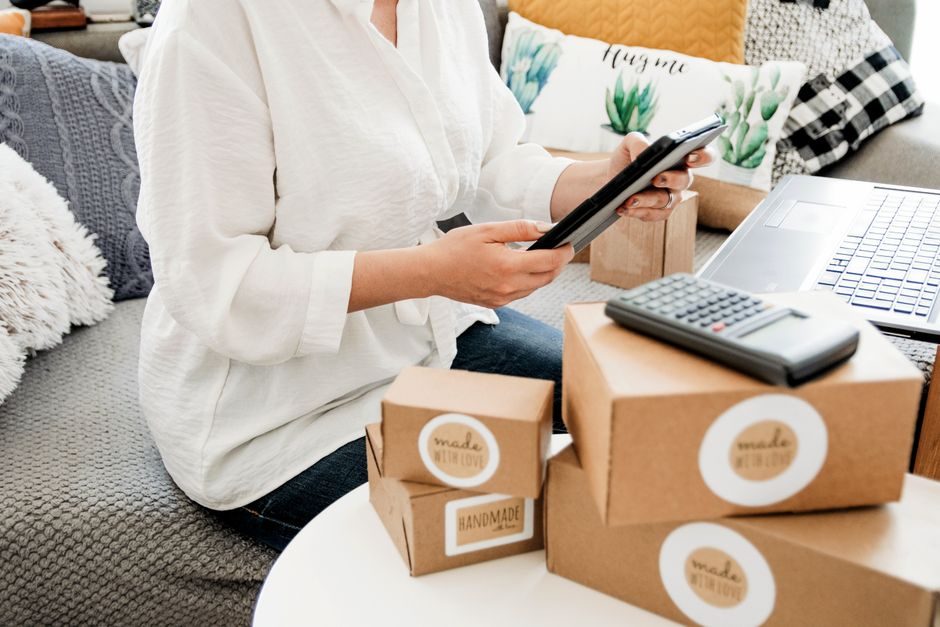
What actually sells: 7 beginner-friendly product ideas
The pattern across successful beginner shops: solve a recurring problem for one specific buyer, in a format Etsy buyers already shop for. Seven ideas that fit:
- Niche planners (the #1 beginner category). Not "a planner" — a budget planner for single parents, a study planner for nursing students, a content calendar for real estate agents. Planners are perennial bestsellers because buyers search for them year-round.
- Checklists and trackers. Habit trackers, wedding planning checklists, moving checklists, workout logs. Simple to build in Canva, genuinely useful, and priced as easy impulse buys.
- Wall art sets. Matching printable art sets for a nursery, home office, or kitchen. Saturated at the generic end — works when the style and theme are specific (boho nursery animal prints, minimalist productivity quotes for offices).
- Small-business template packs. Invoice templates, social media graphic packs, price-list menus, email templates. Buyers here are businesses with budgets, and they buy on need rather than browsing.
- Educational printables. Alphabet and number worksheets, flashcards, chore charts, homeschool resources. Parents and teachers buy repeatedly and seasonally (back-to-school is a real traffic spike).
- Wedding and event stationery. Invitation templates, seating charts, party game bundles. Buyers are stressed, time-pressured, and willing to pay for "done" — high conversion if your mockups look professional.
- Guides and ebooks. Short, practical guides on a topic you know. If this format appeals to you, our AI ebook guide walks through the whole process, from drafting to cover design to publishing.
The beginner mistake is listing one product in five unrelated categories. Pick one buyer and one product type for your first month — twenty related listings for the same audience teach you more (and rank better) than twenty scattered across everything.
Your free tool stack (Canva + ChatGPT is enough to start)
You don't need a paid AI subscription to launch. The free tiers are genuinely enough for your first listings:
- ChatGPT (free) — research and copy. Brainstorm product ideas for a niche, draft listing titles, write SEO descriptions, generate 13 tag sets per product, and write the file instructions your buyers get. Never publish its copy unedited — generic AI text reads as generic AI text.
- Canva (free) — design and layout. Planners, checklists, template packs, and social graphics are all buildable from Canva's free templates, customized into your own design. It's the fastest path from idea to downloadable PDF.
- AI image generators (free tiers) — art and covers. For wall art and ebook covers, use a free-tier image generator and edit the output at full size before listing — check edges, artifacts, and print quality. Our honest image generator comparison tells you which free plans are actually usable.
- Mockup generators — honest product photos. Digital products have no physical item to photograph, so mockups do all the selling. Canva's free mockups or a free trial of a mockup tool turn a flat PDF into a product that looks real on screen.
Upgrade only when sales justify it: a paid image generator or ChatGPT Plus after you've confirmed demand with your first sales. If you're drawn to physical products instead (shirts, mugs, posters printed on demand), our print-on-demand AI guide covers the Etsy side of that model too, including the same disclosure rules.

The honest fee math: what you keep from each sale
Etsy fees are the same for digital and physical products — digital just skips the shipping portion. Here's the 2026 structure for a US-based seller (rates vary by country — India, for example, is 5% + ₹25 processing):
- Listing fee: $0.20 per listing, charged when you publish, again every 4 months if it's still active, and again each time the item sells.
- Transaction fee: 6.5% of the sale price (no shipping to add for digital).
- Payment processing: 3% + $0.25 per transaction (US; other countries differ).
- Offsite Ads: 15% extra — only on sales driven by Etsy's external ads. Shops under $10,000 in trailing 12-month sales can opt out (and many beginners should). Above $10,000 it becomes mandatory at 12%, capped at $100 per order.
In practice, on a $9 digital download you keep roughly $7.69 (about 85%) after the standard fees: $0.20 listing + $0.59 transaction + $0.52 processing = about $1.31 in fees. The combined effective rate is roughly 9.5–10% of the sale price plus about $0.45 in fixed costs.
Three pricing takeaways that matter for beginners:
- Fees hit low prices hardest. At $3–$4, the fixed $0.25 processing fee eats a disproportionate share. The sweet spot for a substantial digital product in 2026 is $7–$19.
- Bundles beat singles. One $15 bundle nets you more than two $7 sales while costing roughly half the fixed fee overhead — and buyers perceive far more value.
- Opt out of Offsite Ads until you're established. A 15% fee on top of everything else makes small-margin products unprofitable. Keep the margin yourself while you're learning.
Because there are no materials, printing, or shipping costs, almost everything left after Etsy's cut is profit — which is why even modest-selling digital products can quietly compound into real side income.
Etsy listing SEO: how buyers actually find you
Etsy is a search engine. Your listing ranks on the exact words buyers type — and the sellers who win are the ones who research those words instead of guessing:
- Find real keywords first. Type your product idea into Etsy's own search bar and watch the autocomplete — those suggestions are actual buyer searches. Niche-specific beats generic: "budget planner printable single mom" converts better than "planner" even though it has less traffic.
- Front-load the title. Etsy's algorithm weighs the first 55 characters of your title most. Put your main keyword phrase there — "Printable Budget Planner for Single Parents" — not your shop name or a clever tagline.
- Use all 13 tags. Every listing allows 13 tags; use all of them with buyer phrases (long-tail, two to three words each). Never stuff tags with irrelevant trendy words — Etsy penalizes mismatches between tags and the actual product.
- Write descriptions buyers can skim. Start with the AI disclosure line, then: what exactly they get (file types, page count, sizes), how to use it, and what's included in the download. Answer "what do I get" in the first three lines.
- Mockups are your storefront. With no physical product, your listing photos do 100% of the visual selling. Show the product "in use" (a planner page styled on a desk), include a features slide listing everything included, and make the first image readable at thumbnail size.
- Reviews are the ranking accelerator. Your first 10–20 reviews matter disproportionately for trust and search placement. Deliver flawless files, include clear print/download instructions to prevent confused-buyer reviews, and respond to every message politely.
Expect this to be slow at first: new shops typically see their first sales after 10–30 listings and a few weeks of indexing. Etsy rewards shops that keep publishing, so a weekly listing habit beats a one-time 50-product dump.

Your first-weekend launch plan
Here's the minimum viable shop, achievable in one focused weekend with the free tool stack:
- Saturday morning — research (2 hours). Pick your buyer and product type using Etsy's autocomplete. Write down 20 specific keyword phrases buyers actually search for. Study the top 5 listings for each: what do their titles, mockups, and prices look like?
- Saturday afternoon — build product #1 (3 hours). Create one planner or checklist in Canva. Check every page at full size. Export as a clean PDF and open it as a buyer would — broken links or blurry pages here become 1-star reviews.
- Sunday morning — products #2 and #3 (3 hours). Make these variations of product #1 for the same buyer (a weekly and monthly version, or a companion tracker). Same audience, same style — this is how shops compound instead of scatter.
- Sunday afternoon — listings (2 hours). Open your Etsy seller account (free to create), publish 3–5 listings at $0.20 each. For each: keyword-first title, all 13 tags, disclosure line at the top of the description, professional mockup as the first image.
- Week 2 and beyond. Add 2–3 listings per week, watch your Etsy Stats for which search terms bring views, and double down on what gets clicks. Your first 20–40 related listings are the real launch — the first weekend just starts the clock.
Total weekend cost: about $1 in listing fees and zero dollars in tools. The honest expectation is weeks, not days, before consistent sales — the shops that survive are the ones that keep listing while the algorithm learns who their products are for.
Honest caveats before you open your shop
- Generic AI art is saturated. "AI motivational poster" listings number in the thousands. The opportunity for beginners is narrow niches and genuinely useful products — planners, trackers, and templates for specific buyers — not dumping raw AI images into a shop.
- AI speeds up creation, not demand. You can make 50 listings in a week; you can't make buyers want them. Research before you produce, and treat your first month as data collection.
- Reviews are unforgiving of sloppy files. A blurry page, a broken PDF link, or missing instructions earns a 1-star review that sits at the top of your shop. Quality-check every file as a buyer would — this is the single cheapest insurance in the business.
- Don't price at the bottom. A race to $2 listings leaves you with fee-eaten pennies and attracts the most demanding buyers. Price in the $7–$19 band and make the listing worth it.
- AI images have IP edges. Don't generate images of celebrities, brand characters, logos, or designs that closely imitate other creators' work. "AI-made" doesn't mean "rights-free," and Etsy takes IP complaints seriously.
An Etsy digital shop is one of the few side hustles a beginner can start for about a dollar, own completely, and grow into genuine semi-passive income. Start with the weekend plan above — and let listing #1 be imperfect. The sellers who win are the ones still listing in month three.
Learn the AI tools behind every Etsy product
The Pack covers 30+ AI tools with honest 2026 pricing plus copy-paste workflows for planning, designing, and writing — the same tool stack you'll lean on for every product in this guide, so you spend hours building, not hunting for tutorials.
Get The AI Tools Starter Pack — $9