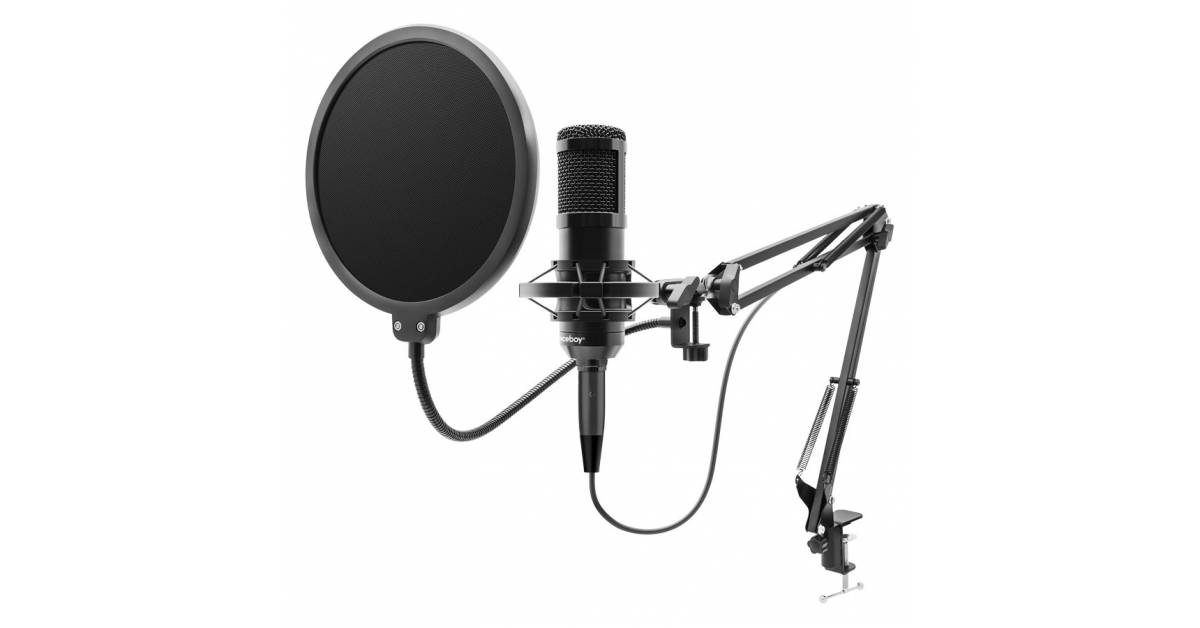
Podcasting used to be a production project. You needed a microphone setup that didn't embarrass you, editing software you had to learn for weeks, and a hosting workflow that felt like filing taxes. In 2026, AI has collapsed nearly all of that. You can record from a laptop, fix bad audio with one click, edit by deleting words in a transcript, clone your own voice to fix mistakes, and publish everywhere from a single dashboard — for free or close to it.
This guide walks through the full stack, step by step: planning, recording, audio cleanup, editing, AI voices, hosting, repurposing, and — honestly — how podcasters actually make money. No studio required, no editing degree, no budget beyond a few dollars if you choose to spend any at all.
Step 1: plan a show worth launching
AI can produce your podcast, but it can't decide what it's about. Before opening any tool, lock in three things:
- A narrow niche. "AI tools for small business owners" beats "everything AI." Narrow shows grow faster because every episode is relevant to every listener.
- A repeatable format. Solo commentary, interviews, co-hosted chat, or storytelling — pick one and stick to it for your first ten episodes. Consistency is what turns listeners into subscribers.
- An episode length you can sustain. Twenty to forty minutes weekly is the beginner sweet spot. A weekly hour-long show sounds ambitious until week six.
Write a one-sentence promise for your show — "what you'll get and who it's for." If you can't say it in one sentence, your niche is still too broad. For a broader look at side hustles that pair well with podcasting, see our AI side hustles guide.
Step 2: record — the remote interview problem, solved
The biggest quality killer for beginners isn't the microphone — it's remote guests. Zoom-style recordings compress audio and drop out when the connection wobbles. Two tools fix this properly:
Riverside — best for remote recording
Riverside records each guest locally on their own device in full quality, then uploads the files — so a guest's bad internet never wrecks your audio. It runs in the browser (guests don't install anything), records video alongside audio, and has AI tools for clips and transcripts. It offers a free tier, with paid plans generally starting around $15–24/month. Its AI-powered Magic Audio and transcript-based editing mean you may not need a separate editing tool.
Best for: interview shows with remote guests — which is most beginner podcasts. Practical tip: record video too, even for an audio podcast. A video file unlocks YouTube distribution and clips later, and the extra cost is zero.
Podcastle — best all-in-one for beginners
Podcastle (recently rebranded in some markets as Async) aims to be the single tool from recording through publishing: browser-based recording, basic editing, one-click audio enhancement ("Magic Dust" noise reduction and leveling), and built-in hosting that publishes directly to Apple Podcasts and Spotify. The free tier covers the essentials; paid plans start around $11.99/month, the cheapest entry point with multi-track recording.
Best for: solo creators who want one dashboard instead of five subscriptions. Practical tip: its transcription can struggle with technical vocabulary and strong accents, so proofread auto-generated show notes before publishing.
Step 3: fix bad audio with one click
Recorded in a less-than-perfect room? AI cleanup tools can make a laptop-microphone recording sound close to studio quality. Run your audio through one of these before you edit a single word.
Adobe Podcast — free studio-grade cleanup
Adobe Podcast's Enhance Speech is the standout free tool of 2026: upload a recording and it removes background noise, echo, and room reverb, returning dramatically cleaner audio. It's free (with daily usage limits on the free tier, and broader limits on paid Creative Cloud plans). Use it as a repair step for guest tracks recorded on poor equipment — it's genuinely good enough to save an episode.
Auphonic — automatic mastering
Auphonic handles the technical finishing you don't want to learn: loudness normalization, leveling between speakers, noise and hum reduction. It offers 2 hours of processing free per month, with paid plans from around $11/month. This is the step that makes your show sound "professional" — consistent volume across episodes is something listeners feel even if they never notice it.
Cleanvoice AI — filler word removal
Cleanvoice automatically removes filler words, mouth sounds, stuttering, and long silences — the pre-pass that used to take hours of manual cutting. Pricing is around $10–15/month. Think of it as the cleanup before the real edit: run your recording through it first, then do your content edits in an editor.
Step 4: edit by deleting text (Descript)
Descript pioneered text-based editing: it transcribes your recording, and you edit the audio by editing the transcript like a Word document. Delete a sentence from the text and the audio is cut. Cut all "um"s with one click. It also includes Studio Sound (noise removal), filler-word removal, and automatic show notes and captions.
Its signature feature for podcasters is Overdub, a voice clone trained on your own voice that lets you fix a flubbed word or line by typing the correction — no re-recording session needed. Descript offers a free tier (limited hours, with watermark) and paid plans generally starting around $16–24/month depending on billing.
Best for: creators who dread timeline editing — the word-processor interface removes the learning curve entirely. Practical tip: always listen to the final render after Overdub edits; corrected lines occasionally sound slightly off in context, and a two-minute re-export is cheaper than a listener noticing.
Step 5: AI voiceovers and voice cloning
AI voices are now good enough for real podcast use — for intros, sponsor reads, and even full episodes. This is also the area where ethics matter most, so the rules come first: clone only voices you have explicit permission to use (usually your own), and disclose to listeners when significant portions of an episode are AI-generated. Transparency builds trust; hidden AI voices destroy it.
ElevenLabs — the natural voice benchmark
ElevenLabs is widely regarded as the most realistic AI voice platform, with expressive voices in dozens of languages. The free plan includes 10,000 credits per month (roughly 10 minutes of audio), and paid plans start around $5–6/month. Instant voice cloning (from about a minute of clean sample audio) is available on paid tiers, with higher-fidelity professional cloning on the Creator tier. Note that the free plan doesn't include commercial usage rights — use a paid plan for any monetized show. For a deeper comparison of voice tools, see our AI voice generators guide.
Realistic uses for podcasters: a cloned voice for a perfectly consistent intro/outro and sponsor reads every episode; dubbing episodes into other languages (multilingual podcasting is one of 2026's biggest growth trends); narrated spin-off episodes in a documentary style. Watch out: synthetic full episodes with no human editorial voice fall flat — listeners subscribe to shows for a perspective, not a voice.
Step 6: host and distribute
A podcast host stores your audio and generates the RSS feed that every directory (Spotify, Apple Podcasts, YouTube, Amazon Music) reads. You upload once; the directories pull your episodes automatically. The honest choice for beginners comes down to two options:
Spotify for Creators — the free option (with a real cost)
Spotify for Creators (formerly Anchor) is free and distributes everywhere, making it the standard beginner recommendation. The catch: its Partner Program takes a 50% share of ad revenue from ads it sells in your episodes, and you must insert at least one ad break per episode to earn anything. If you're pre-revenue and testing whether podcasting is for you, zero financial risk wins. But once ad revenue starts flowing, that 50% split can cost more than a paid host's monthly fee — and your RSS feed is portable, so switching later is painless.
Buzzsprout — the paid beginner host
Buzzsprout is the most recommended paid host for beginners: clean interface, Magic Mastering, and sponsor-ready analytics. Plans generally run $12–24/month with a free trial period. Its Dynamic Content feature lets you insert or swap sponsor and affiliate reads across your entire back catalog — old episodes keep earning. Its built-in monetization tools (ads, affiliates) have no minimum audience size, and the approach is non-exclusive, so you can combine them with your own sponsorships.
Step 7: turn each episode into a week of content
One episode should produce far more than one upload. The 2026 growth playbook: cut vertical clips (15–90 seconds), quote cards, and show notes, and distribute them across YouTube Shorts, Reels, and X. Two tools cover this:
- Castmagic / Podsqueeze: upload an episode and get transcripts, summaries, SEO show notes, timestamps, and social posts automatically. The fastest path from a finished recording to a full promotional kit.
- OpusClip: cuts long episodes into short vertical clips automatically, finding the strongest moments. Since a large share of listeners discover new shows through short video, clips are the primary growth engine for new podcasts in 2026. Free tier available; paid from around $19/month.
A single 30-minute episode plus an hour of clip editing gives you a week of promotional content. If video podcasts are your format, our AI video tools guide covers the video-production side in depth.
The honest money guide: how podcasters actually earn
Let's set expectations honestly. A widely cited stat from September 2026: the median Buzzsprout show earned about 27 downloads per episode in its first week. Podcasting compounds slowly — the money arrives at episode 30, not episode 3. Here are the realistic revenue streams, in the order most beginners access them:
- Affiliate marketing — from episode one. Recommend tools and products in your niche with affiliate links; there's no minimum audience size. This is the only stream that works for brand-new shows.
- Listener support. Podbean's built-in patron program and similar tools let fans contribute monthly. Even a handful of supporters covers hosting costs.
- Dynamic ad insertion. Hosts like Buzzsprout insert ads into your back catalog and pay you per play; Spotify for Creators pays a 50% revenue share on ads it sells in your episodes. Real ad income needs thousands of listeners per episode.
- Direct sponsorships. Baked-in host reads you sell yourself — you keep the full amount (no platform takes a cut of a deal it didn't sell). These arrive after you've built a real audience, typically cited as several thousand regular listeners.
- Selling your own stuff. The most profitable beginner path: a course, ebook, templates, or consulting in your niche, promoted to listeners who already trust you. Small audience + own product beats large audience + ad cents.
That last point is the real answer for beginners: in your first year, your podcast is a trust-building channel, not an income channel. The income comes from what you sell to the audience you're building.
Your 14-day launch plan
- Days 1–2: Pick your niche, format, and episode length. Write your one-sentence show promise. Research five podcasts in the niche and note what they do well and what they skip.
- Days 3–4: Set up free tiers: Spotify for Creators for hosting, Adobe Podcast for cleanup, Descript free tier for editing. Record a 5-minute test episode and run the full pipeline once.
- Days 5–7: Outline your first three episodes. Write bullet scripts (not full word-for-word scripts — bullet points sound more natural). Prepare intro/outro text.
- Days 8–10: Record episode 1. Run it through cleanup (Adobe Podcast), filler removal, and text editing (Descript). Export and upload. Submit your RSS feed to all directories.
- Days 11–12: Record episodes 2 and 3 the same way. Build a clip pipeline: cut 3–5 short clips from episode 1 with OpusClip or Descript.
- Days 13–14: Launch with three episodes live (a launch day with one episode looks empty). Publish clips daily for a week. Ask every listener to follow the show in their app.
From there: one episode per week, no exceptions, for six months. Most shows that grow do it on episode counts, not luck — publishers who survive the first 30 episodes own the niche by default, because nearly everyone else quit by episode 10.
Honest caveats before you start
- AI removes the production bottleneck, not the content one. The hard part of podcasting was never editing — it's having something worth saying every week for a year. Tools don't fix a show nobody asked for.
- Prices and free tiers change constantly. Verify current pricing on each tool's site before subscribing, and never pay annually until the monthly plan has proven itself for two months.
- Commercial rights matter. Free-tier voices and cloned voices often exclude commercial use. Read the license on your plan before monetizing.
- Disclose AI voices. When AI narration or cloning carries a significant part of an episode, say so in the show notes or intro. Listeners accept AI production; they punish hidden AI voices.
- Expect months, not weeks. The median show does 27 downloads in week one. Audience growth is compounding — plan for a six-month runway before judging results.
Podcasting with AI is genuinely one of the lowest-barrier content businesses available in 2026: record on a laptop, clean up with AI, edit like a document, host for free, and distribute everywhere automatically. The only input AI can't supply is yours — a niche you understand, opinions worth hearing, and the discipline to publish episode after episode. Bring those three, and the tools handle everything else.
One show needs one reliable workflow
This guide gave you the tool stack — the Pack covers the process behind it: the step-by-step workflow for turning ideas into published content, plus copy-paste prompts to keep your scripts and episode outlines consistent week after week.
Get The AI Tools Starter Pack — $9